
Housecall Pro can run a pest control business, especially one that also does other home-service work, because it puts a mobile app, online booking and offline viewing on every plan and has a page for pest control companies. What it has to prove for a pest shop is the pest-specific part: a structured pesticide application record on every job, recurring plans that match how pest work repeats, and applicator licenses. The pages cited here do not describe those in detail, so test them in the trial before you move your book.
I run PestShift, which competes with Housecall Pro. Every Housecall Pro fact below comes from its own pages and help center as checked on October 8, 2026, and I have left out anything those pages did not say.
What does Housecall Pro offer a pest control company?
From Housecall Pro's pricing page, features page and pest control page:
- No long-term contracts. The pricing page says it does not require them.
- A free trial. 14 days, with no card.
- A free iOS and Android app on every plan, plus online booking on every plan.
- "Offline viewing" on every plan.
- Route optimization with "real drive time and live traffic", on the Max plan only.
- A customer hub where customers see past jobs, appointments, estimates and payments.
- Cards on file. The pest page mentions auto-charging cards on file.
- A pest audience. The pest page says it serves "small and enterprise pest control services".
- Users per plan. Each plan includes a set number of users, and more users cost more.
That is a solid general home-service toolkit. The question for a pest owner is what sits underneath it for the work only pest companies do.
What does pest control need that a general tool might not?
A plumber's job ends when the leak is fixed. A pest job also leaves a legal record behind, often repeats on a schedule for years, and has to be done by someone holding the right license. Here is what that means for software.
| Pest-specific need | What good looks like | Why it matters |
|---|---|---|
| Application record | Product, EPA registration number, rate, amount, target pest and site as separate fields | Your state can ask to see it for years after the job |
| Record before close | The job cannot be marked complete without the record | Records written up later are a compliance risk |
| Correction history | Fixes are added next to the original, not typed over it | An inspector wants to see what happened on the day |
| Recurring plans | Monthly, quarterly, seasonal intervals that keep visits on the calendar | Most pest revenue is recurring |
| License checks | Each applicator's license and expiry, checked against the work booked | A lapsed license on a termite job is your problem, not the tech's |
| Records export | Every application record as a spreadsheet, any date range | You need it for audits, state reports and leaving |
The details of each are covered elsewhere on this blog: pesticide application record keeping for the record, monthly vs quarterly pest control plans for plan design, and pest control license requirements for licensing.
How does Housecall Pro handle those pest needs?
This is where the published pages run out. Here is what the sources say, and what to check.
| Need | What Housecall Pro's pages say | What to check in the trial |
|---|---|---|
| Application record | Not described on the pages cited | Is there a pesticide record with its own fields, or only job notes? |
| Record before close | Not described | Can a tech complete a job with no product entered? |
| Correction history | Not described | Edit a record. Is the original kept? |
| Recurring plans | Auto-charging cards on file is mentioned | Can a plan run monthly in summer and quarterly in winter? |
| License checks | Not described | Is there anywhere to store a license number and expiry? |
| Offline work | "Offline viewing" on every plan | Can a tech complete a job and enter a record in airplane mode? |
| Records export | Customer and job exports are described in its help center | Can you export application records, not just jobs? |
"Not described" means the pages I checked did not say. It does not mean the product lacks it. It means you find out in the trial, not after you have moved three hundred recurring customers.
How do I test Housecall Pro for pest work in one hour?
Use the 14-day trial and your own data. Block one hour and run this script.
- Add three real customers, one residential quarterly, one monthly mosquito, one commercial account. Use real addresses.
- Set up the recurring work. Try to make the mosquito plan monthly from April to September and quarterly the rest of the year. Write down what you had to do by hand.
- Install the app on a technician's phone, not yours, and book one visit to them for today.
- Turn on airplane mode on that phone. Open the visit, try to complete it, and try to record the product, EPA registration number, amount, target pest and area.
- Try to close the job with the record empty. Note whether the app stops you.
- Reconnect. Check what reached the office, and whether the time on the job is the real time.
- Correct the record. Change the amount. See whether the original survives.
- Export. Customers and jobs export from the Customers and Jobs sections as CSV files sent by email, and only admins can export, per its help center. Check whether the application details come with the jobs.
If steps four to eight pass, Housecall Pro can carry your compliance. If they fail, you would be keeping records somewhere else, and two systems is how records go missing.
When is Housecall Pro a sensible choice for a pest company?
There are real cases where it is the better buy.
- You run more than one trade. If pest control sits next to lawn, handyman or cleaning work, one general tool can beat two specialist ones.
- Your pesticide volume is light. Wildlife, exclusion and inspection-heavy work leaves fewer application records to keep.
- You want a customer hub. Its features page describes customers seeing past jobs, appointments, estimates and payments in one place.
- You want a store-listed app. The iOS and Android app is on every plan.
For a mixed company, the same reasoning applies to Jobber, which is covered in Jobber for pest control. If your team mostly works from phones, the best pest control apps compares the field side of each option.
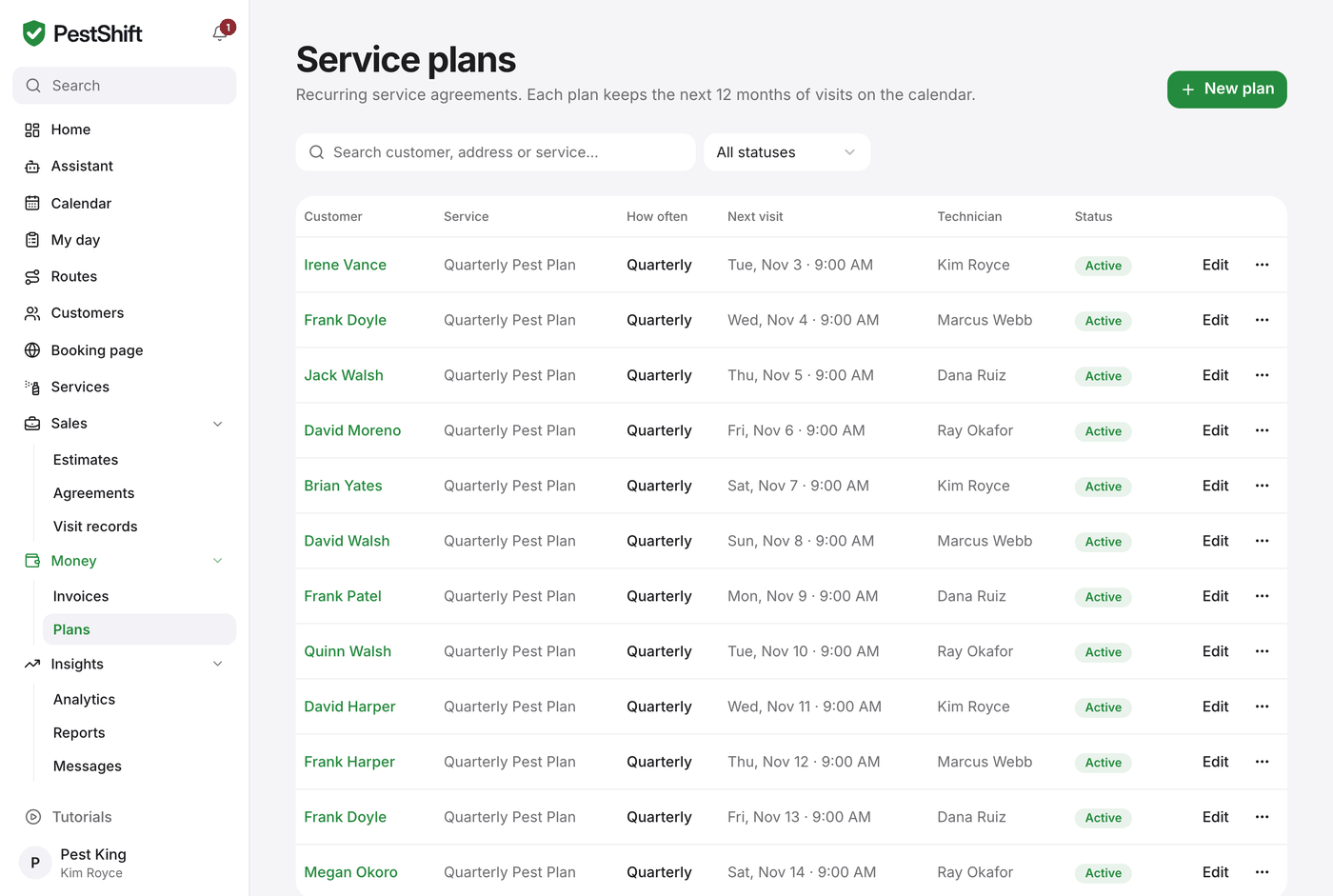 The service plans list: every active plan with its next visit and technician. (demo data)