Pest control estimate software with e-signature
A termite job or a commercial account usually starts with a quote. PestShift lets you build the estimate, send it by link, get it signed on the customer's phone, and turn it into scheduled work without retyping anything.
14-day free trial
What it does
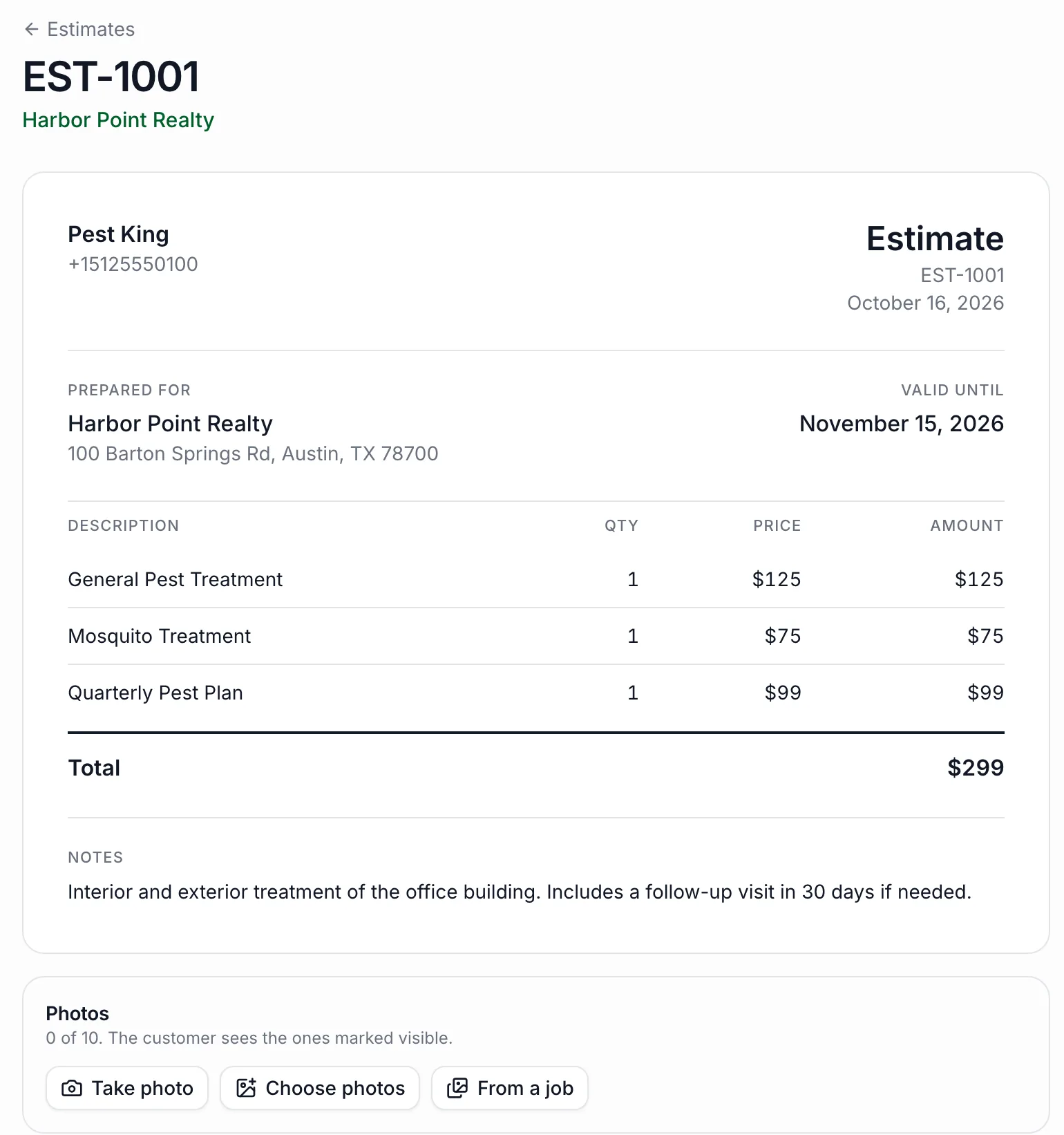
Build an estimate from your services or custom lines, with a discount, tax rate, notes for the customer, terms and a valid-until date (30 days by default). Attach photos from the inspection or files like a treatment plan.
Send it by email, or copy the link and send it however you like. When the customer opens it, the estimate shows as viewed, so you know when to follow up. They approve or decline from their phone. With signatures turned on, approving takes their full name, a finger-drawn signature and an I agree check, and you get a signed copy you can print or save as PDF. You're emailed and notified in the app the moment they respond.
From approved to booked
An approved estimate has a Turn into work button. Schedule a one-off visit, or create a recurring plan with a first visit date, how often it repeats and the technician. The visit uses the estimate total as its price and lists every line, so nothing gets lost between the quote and the job.
Each estimate moves through draft, sent, viewed, then approved, declined or expired, and the list filters by each, so open quotes don't go cold without anyone noticing.
- Line items from your services or custom lines
- Discounts, tax, notes, terms and expiry date
- Photos and files attached
- Approve or decline on the customer's phone, with optional e-signature
- Edits after sending saved as a new version
- One click from approved estimate to visit or recurring plan
Who it's for
Shops quoting termite, rodent exclusion, wildlife or commercial work, where a written, signed approval protects both sides. It's also a quicker close for residential quotes: the customer can say yes from the driveway.
Good to know
Signatures are optional: turn them on in Settings, and without them approving is a single tap. Save as PDF uses your browser's print, so the PDF matches the page the customer sees. A customer's response is final; if they decline and later change their mind, duplicate the estimate and send the new one.
Questions, answered
- Yes. With signatures turned on in Settings, the customer types their name, signs with a finger and agrees, all from the estimate link.
- No. They open the estimate from a link. There's nothing to download or sign up for.
- Yes, until the customer responds. Your change is saved as a new version. Once it's approved or declined, duplicate it to make a new one.
- You're notified by email and in the app, and you can turn the estimate into a scheduled visit or a recurring plan in one step.
- Yes. Take or choose photos, or pull them in from a job, and mark which ones the customer sees. Files like a treatment plan can be attached too.
Try PestShift free for 14 days
Estimates with e-signature comes with every plan, from $39 a month. Setup takes about 10 minutes, and we'll import your customers for you, free.
14-day free trial