Pest control routing software that puts each day in a sensible order
Driving back and forth across town is time nobody bills for. PestShift puts a technician's stops for the day on a map, finds a shorter order, and shows you how much driving it saves before you apply it.
14-day free trial
What it does
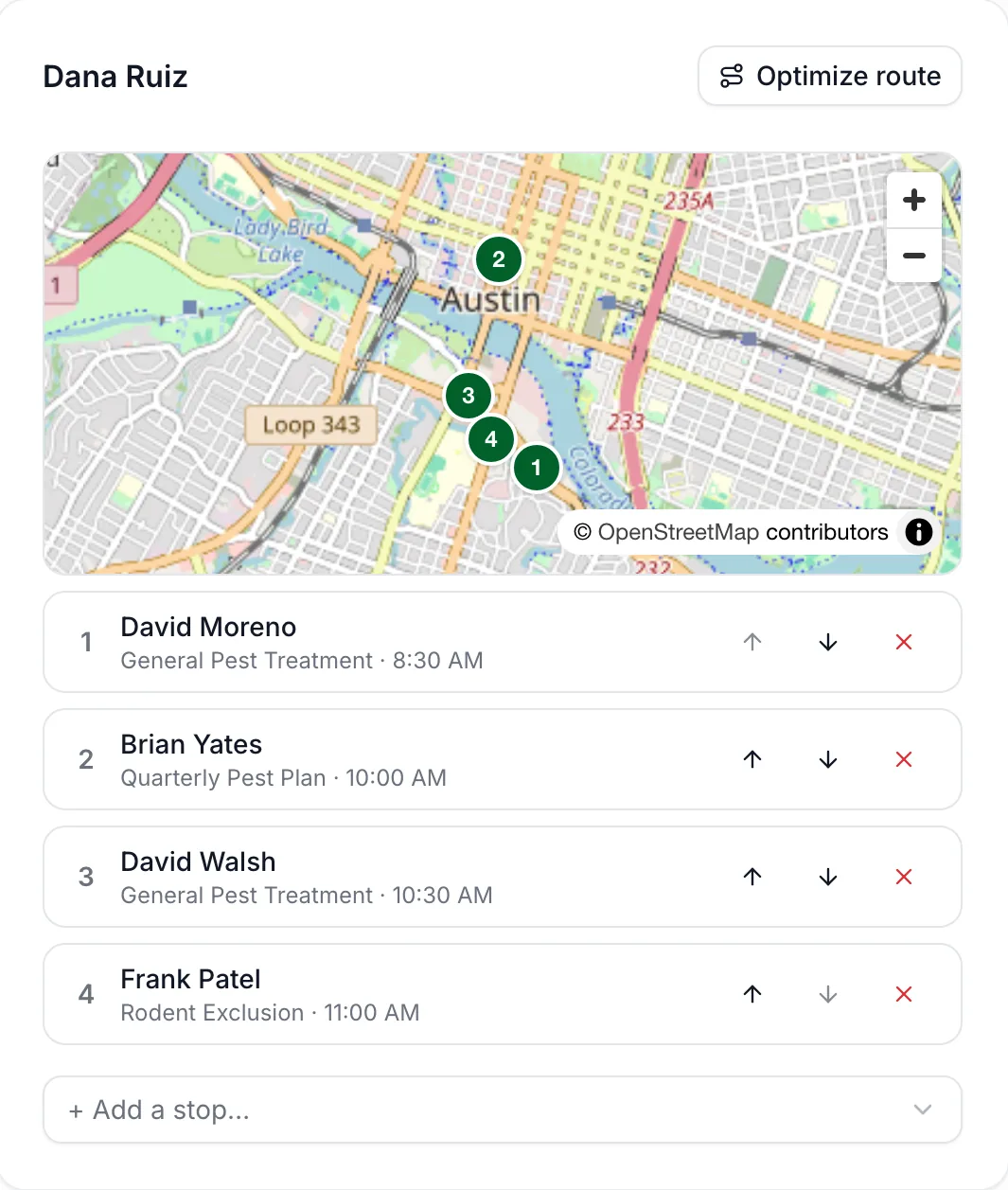
A route is one technician's day. Add their confirmed visits as stops and they appear numbered on a map, with the list underneath. Move stops up or down yourself, or press Optimize route.
Optimize finds the shortest order for the day, keeping the first visit first, and shows the distance and drive time before and after. Then choose how to apply it: keep the day's time slots and put the customers into them in the new order, or pack the day so it finishes earlier, with every visit re-timed from the first one. PestShift warns you when a customer's time would move by two hours or more, so you can call them first.
How it fits your day
Routes use your business hours to plan the day and flag any stop that would run past closing time. Drive times come from real road data where available, and the app tells you which method it used. Any address that couldn't be placed on the map is listed, so you can fix it or enter its coordinates.
After the route is applied, the technician's My day shows the visits in the new order with their new times.
A typical morning: open Routes, pick the date, add a route for each technician who's working, and add their confirmed visits as stops. Press Optimize route, check the before and after, apply it, and their phones show the new order. Stops can be added or removed later in the day.
- Per-technician routes with a map
- Before and after distance and drive time
- Keep the time slots, or pack the day to finish earlier
- Warnings for big time changes and late finishes
- Manual reordering that always wins
Who it's for
Shops running one to ten trucks whose days are built from a mix of recurring and one-off visits. Five or six stops in a better order can save a real chunk of the day.
Good to know
You decide which technician gets which jobs; routing orders the day you've given them rather than splitting work across your team. PestShift doesn't track your technicians' location: there's no GPS tracking or live map of the trucks.
Questions, answered
- No. You assign the jobs, and routing puts each technician's day in the shortest order.
- It can. You choose between keeping the day's time slots or packing the day, and you see the new times before you apply them, with a warning for any customer whose time moves two hours or more.
- No. PestShift has no GPS or live location tracking.
- Yes. Move any stop up or down at any time, before or after optimizing.
- It helps. Routes use your business hours to plan the day and flag late finishes. Without them, PestShift plans a 9 to 5 day.
Try PestShift free for 14 days
Routing comes with every plan, from $39 a month. Setup takes about 10 minutes, and we'll import your customers for you, free.
14-day free trial