Pest control reports that show where the business is going
Your numbers are already in PestShift: every visit, invoice and plan. Reports and Analytics turn them into answers, from what you made last month to how many customers you won and lost this year, and why the ones who left did.
14-day free trial
Reports
Reports has three tabs, for any dates. Sales lists every completed visit and plan invoice with totals. Sales tax shows total, taxable and non-taxable sales, tax collected and tax by rate, by the day invoices were paid or issued. Customers lists each customer with their last service, active plan, what they owe and whether their service agreement is signed, sent or missing. Each one downloads as a CSV.
Analytics
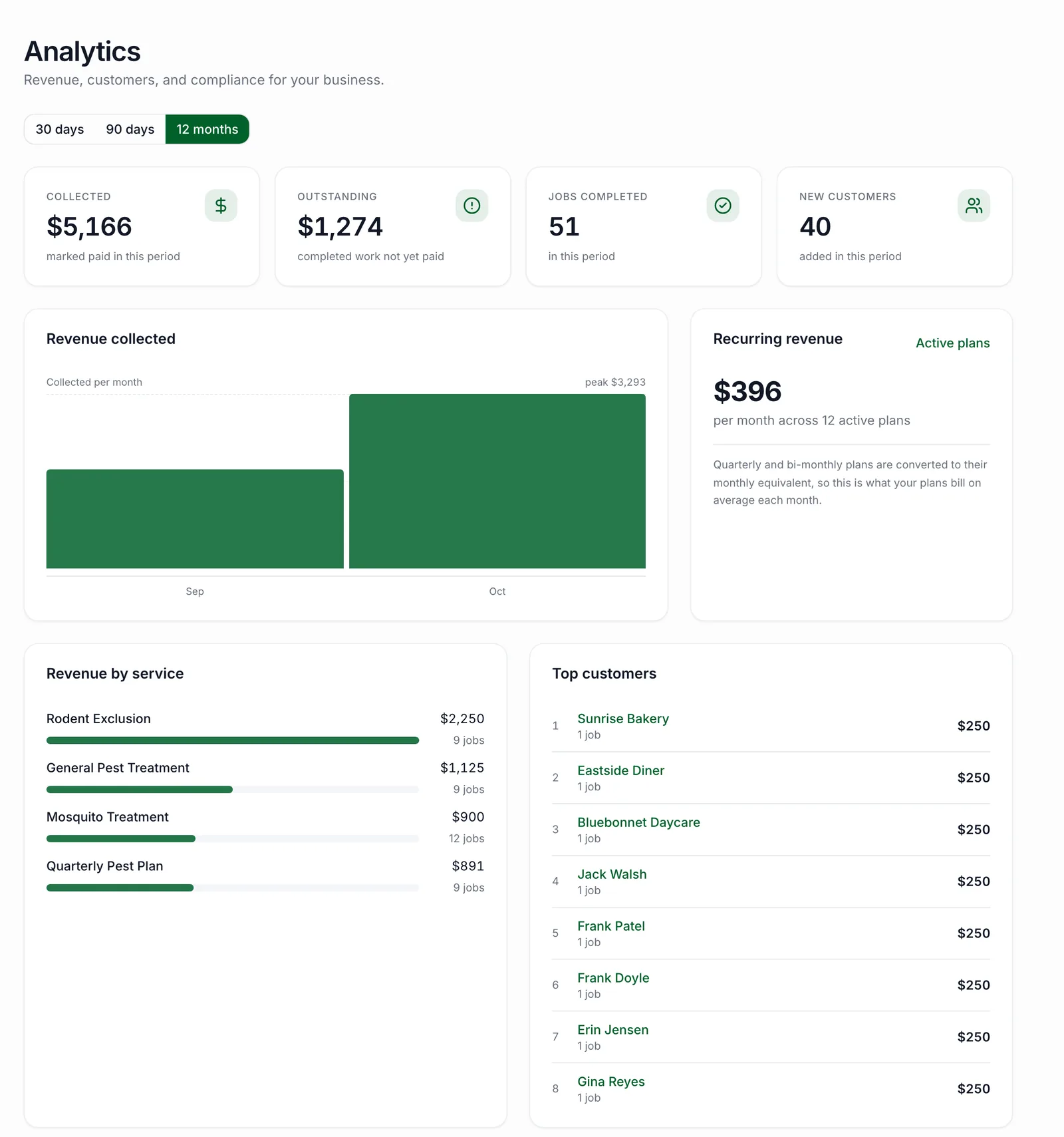
Revenue collected, revenue by month and by service, recurring revenue, your top customers and how often visits have a complete chemical record. Customer growth shows new, lost and net customers by month, the recurring dollars you won and lost, and a 12-month projection from your active plans. Imported customers are counted apart, so a big import doesn't look like a sales month.
Compare with the year before puts any dates, up to five years, next to the same dates a year earlier: revenue by month side by side, and revenue by service with the change in dollars and percent.
- Sales, sales tax and customer reports with CSV downloads
- Customers won, lost and net, by month
- Why customers left, from the reason you pick when you archive them
- This year against last year, by month and by service
- What each day earned, on the calendar
Why customers leave
When you archive a customer, PestShift asks why: moved away, price, went to a competitor, unhappy, or something else, with an optional note. Analytics adds them up, so you can see whether you're losing people to price or to a competitor. Only the owner sees the reasons.
How owners use it
At the end of the month, open Reports, pick last month, and download Sales for your bookkeeper and Sales tax for your filing. Then look at Customer growth: if you lost more recurring dollars than you won, Why customers left tells you whether it was price, a competitor or customers moving away.
Before raising prices, compare this year with last year by service, to see which services are growing and which are flat. The calendar's day totals show what each day earned as you go, so a slow week is obvious before the month is over.
Who sees what
Reports and Analytics are for the owner. Office staff can open the Sales tax report, so they can do the filing. Technicians don't see either.
Questions, answered
- Yes. Sales, Sales tax and Customers each download as a CSV for the dates you pick.
- Yes. Total, taxable and non-taxable sales, tax collected and tax by rate, for any dates, by paid date or invoice date.
- Yes. Pick any dates, up to five years, and see them next to the same dates a year earlier, by month and by service.
- No. Office staff get the Sales tax report only. Revenue, growth and the other reports are the owner's.
Try PestShift free for 14 days
Reports & analytics comes with every plan, from $49 a month. Setup takes about 10 minutes, and we'll import your customers for you, free.
14-day free trial